Custom post-processing
Five hand-written full-screen passes over the ship. A `.post.wgsl` declares `// @ignifx post` and provides `fn mainFragment(in: PostInput) -> vec4<f32>` — a plain function, because Babylon Lite's fullscreen path calls `effectFragment` by name and ignifx generates that entry point and forwards to yours. `inputTexture` is the chain's current colour, and `shaderUniforms` always carries `screenSize`, `time`, `unscaledTime` and `deltaTime`. Writing a value re-uploads that effect's uniform buffer; changing which effects exist, their order or their textures rebuilds the chain — which is why the sliders are free and the toggles are settings. The grade is a 16-cubed lookup table baked in code and uploaded with `TextureAsset.fromPixels`.
Off airLivePaused
Custom post-processing
Shaders · 3D
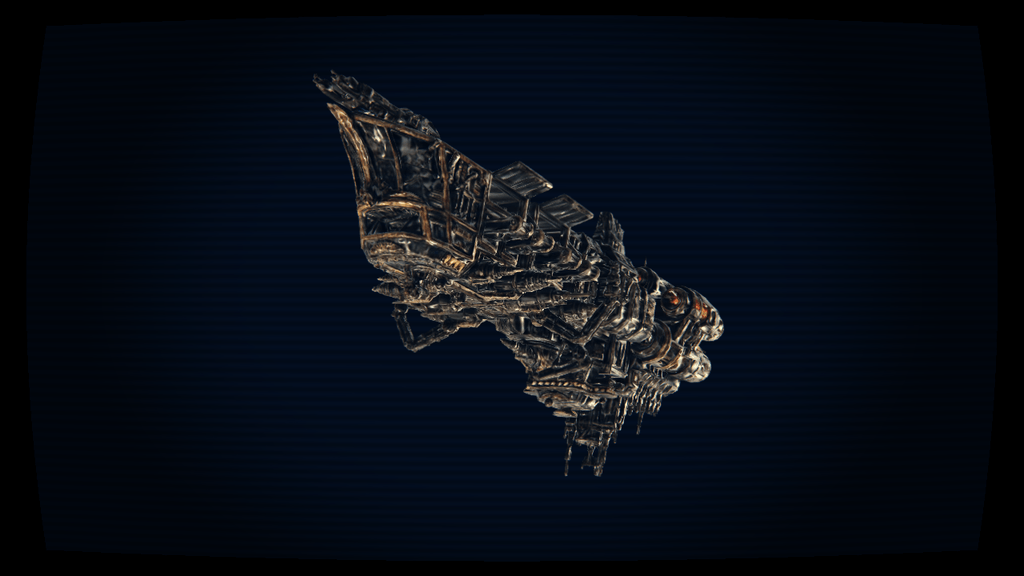
WebGPU: checking…See browser support
Try this
- Turn Pixelate on, then flip the Order select: blocks cut by scan lines, or scan lines over blocks.
- Pull the LUT's Amount to zero and back. That is the whole grade, in one lookup per pixel.
- Switch Film grain on: a new speckle 24 times a second. It is off in the opening frame because per-pixel noise is incompressible.
Show source code
Source
import { customEffect, PostProcessStack, SHADER_ASSET_TYPE, TextureAsset } from "ignifx";import { bootExample } from "../_kit/boot.ts";import { twoPlaces } from "../_kit/format.ts";import { bind, readout, select, slider, toggle } from "../_kit/panel.ts";import { bakeLutStrip, LUT_SIZE, LUT_WIDTH } from "./lut.ts";import { CLEAR_COLOR, createShot, EFFECTS, SWAPPABLE } from "./shot.ts";import type { EffectRow } from "./shot.ts";import type { PanelControl } from "../_kit/panel.ts";import type { CustomEffectSettings, ShaderAsset } from "ignifx";/** * Five hand-written full-screen effects on one `PostProcessStack`. * * ## What a `.post.wgsl` is * * A file that declares `// @ignifx post` and provides `fn mainFragment(in: PostInput) -> vec4<f32>` * — a **plain function**, not an entry point. Babylon Lite's fullscreen path calls `effectFragment` * by name, so ignifx generates that entry point and makes it forward here with a `PostInput` it * filled in: `uv` across the frame from its top-left corner, and the fragment's backing-store pixel. * `inputTexture` is the chain's current colour, and `shaderUniforms` always carries `screenSize`, * `time`, `unscaledTime` and `deltaTime` before whatever the file declared for itself. * * ## One line of settings * * `features.postProcessing` renders the scene into an offscreen target so a pass has something it is * allowed to sample. It is read **once**, when `app.start()` registers the scene — asking afterwards * is `IGX-0704` — and without it the stack logs `IGX-0710` and does nothing at all. A stack built * before `app.start()`, as this one is, is recorded when the scene is registered. * * ## What costs a rebuild and what does not * * Writing a **value** into an effect's `values` record re-uploads its uniform buffer on the next * `PreRender` — that is what the sliders do, and it is why they are cheap enough to drag. Changing * which effects exist, their `order`, or their textures rebuilds the chain, which is why the toggles * and the Order select are settings controls. `taskCount` below is the frame graph's own count, so * it is the honest answer to "how many passes am I paying for". * * `shot.ts` beside this file builds the lit frame; `lut.ts` bakes the grade the LUT effect samples. */bootExample({ title: "Custom post-processing", settings: { rendering: { clearColor: CLEAR_COLOR, msaaSamples: 4, features: { shadows: false, postProcessing: true }, }, time: { fixedDeltaTime: 1 / 60 }, }, async setup({ app, panel, random }) { const eye = await createShot(app); const shaders = EFFECTS.map((row: EffectRow) => app.assets.load<ShaderAsset>(row.address, { type: SHADER_ASSET_TYPE }), ); await Promise.all(shaders.map((handle) => handle.promise)); // The grade is a 16 x 16 x 16 cube baked in code and handed to the GPU as tightly packed RGBA8 // bytes. `linear` filtering is what lets the shader interpolate between entries; `clamp` is what // stops the top of the red axis wrapping round to the bottom. const lut = TextureAsset.fromPixels(app, "custom-post-process/lut", bakeLutStrip(), LUT_WIDTH, LUT_SIZE, { filter: "linear", wrap: "clamp", }); const post = eye.addComponent(PostProcessStack); const settings = new Map<string, CustomEffectSettings>(); for (let index = 0; index < EFFECTS.length; index += 1) { const row = EFFECTS[index]; const shader = shaders[index]; if (row === undefined || shader === undefined) { continue; } const effect = customEffect({ shader, enabled: row.enabled, order: row.order, values: { [row.control.name]: row.control.value, // The grain moves with `time`, 24 patterns a second, from a starting pattern seeded by // the kit's generator. `?static=1` holds `time` at zero, so a capture with `?seed=1` is // always the same speckle and the golden of this frame cannot rot. ...(row.label === "Film grain" ? { seed: Math.floor(random() * 4096) } : {}), }, textures: row.label === "Colour LUT" ? { lut } : {}, }); settings.set(row.label, effect); post.custom.push(effect); } const [firstLabel, secondLabel] = SWAPPABLE; const orders = [`${firstLabel} first`, `${secondLabel} first`]; const controls: PanelControl[] = [ // The **component's** `enabled`, not each effect's: a frame graph cannot have a task removed, // so a disabled stack keeps its chain and skips it, which is one branch a frame. toggle("Stack enabled", bind(post, "enabled")), select("Order", orders, { value: orders[0] ?? "", change: (label: string): void => { const first = settings.get(firstLabel); const second = settings.get(secondLabel); if (first === undefined || second === undefined) { return; } const firstIsFirst = label === orders[0]; first.order = firstIsFirst ? 20 : 30; second.order = firstIsFirst ? 30 : 20; }, }), readout("Post-process tasks", (): string => String(post.taskCount)), ]; panel({ title: "Custom post-processing", groups: [ { label: "Chain", controls }, ...EFFECTS.map((row: EffectRow) => { const effect = settings.get(row.label); const { control } = row; return { label: row.label, collapsed: !row.enabled, controls: effect === undefined ? [] : [ toggle("Enabled", bind(effect, "enabled")), slider( control.label, { min: control.min, max: control.max, step: control.step, format: control.step < 1 ? twoPlaces : String, }, { value: control.value, change: (value: number): void => { effect.values[control.name] = value; }, read: (): number => { const value = effect.values[control.name]; return typeof value === "number" ? value : control.value; }, }, ), ], }; }), ], }); },});/** * The frame the five effects are applied to, and the table that drives the panel. * * @remarks * The subject is the same ship the `pbr-model` example is composed around, lit by the same * prefiltered studio probe: a post-process chain is only interesting over a frame that already has * highlights, shadow and colour in it, and this is the repository's own frame that does. */import { Camera, Environment, MODEL_ASSET_TYPE, Model } from "ignifx";import { attachOrbit } from "../_kit/orbit.ts";import { createBackdrop, createStudioRig, loadEnvironment } from "../_kit/stage.ts";import type { App, ColorLike, Entity, ModelAsset } from "ignifx";/** The near-black the frame is cleared to. */export const CLEAR_COLOR: ColorLike = { r: 0.008, g: 0.01, b: 0.016, a: 1 };/** The opening shot. */export const SHOT = { fov: 34, yaw: 18, pitch: 9, distance: 1.55, target: { x: 0, y: 0.68, z: 0 }, exposure: 1.5, blur: 0.22, pose: { x: -12, y: 18, z: 7 }, height: 0.7,} as const;/** One custom effect on the panel: its file, its order, and the slider it gets. */export interface EffectRow { /** The label on the toggle and the panel group. */ readonly label: string; /** The `.post.wgsl` address, under `examples/assets/`. */ readonly address: string; /** Where it sits in the chain; lower runs first, alongside bloom's and SMAA's own `order`. */ readonly order: number; /** Whether it is on when the example opens. */ readonly enabled: boolean; /** The uniform the slider writes, and its bounds. */ readonly control: { /** The visible label. */ readonly label: string; /** The uniform's name, as the file declares it. */ readonly name: string; /** The lowest value. */ readonly min: number; /** The highest value. */ readonly max: number; /** The increment. */ readonly step: number; /** The value the effect opens on. */ readonly value: number; };}/** * The five effects, in chain order. * * @remarks * The grade runs first, on a frame nothing has textured yet; the four screen effects run after it, so * the scan lines and the speckle are not themselves graded. Swapping the middle two is what the * panel's Order select does, and the difference is visible: blocks cut by scan lines, or scan lines * running over blocks. */export const EFFECTS: readonly EffectRow[] = [ { label: "Colour LUT", address: "shaders/custom-post-process/lut.post.wgsl", order: 10, enabled: true, control: { label: "Amount", name: "amount", min: 0, max: 1, step: 0.05, value: 1 }, }, { label: "Pixelate", address: "shaders/custom-post-process/pixelate.post.wgsl", order: 20, enabled: false, control: { label: "Block size", name: "blockSize", min: 1, max: 32, step: 1, value: 6 }, }, { label: "CRT", address: "shaders/custom-post-process/crt.post.wgsl", order: 30, enabled: true, control: { label: "Scan lines", name: "scanline", min: 0, max: 1, step: 0.05, value: 0.25 }, }, { label: "Film grain", address: "shaders/custom-post-process/grain.post.wgsl", order: 40, // The one effect that is off in the opening frame, and for a reason worth stating: per-pixel // noise is incompressible, so a grained poster cannot be squeezed under the site's 120 KB // budget, and a grained golden would need a tolerance wide enough to hide a real regression. enabled: false, control: { label: "Amount", name: "amount", min: 0, max: 0.4, step: 0.005, value: 0.05 }, }, { label: "Vignette", address: "shaders/custom-post-process/vignette.post.wgsl", order: 50, enabled: true, control: { label: "Amount", name: "amount", min: 0, max: 1.5, step: 0.05, value: 0.55 }, },];/** Which two effects the Order select swaps, by their labels. */export const SWAPPABLE = ["Pixelate", "CRT"] as const;/** * Builds the lit frame: the rig, the floor, the backdrop, the probe and the ship. * * @param app - The app the entities and the assets belong to. * @returns The camera entity, so the caller can hang a `PostProcessStack` on it. */export async function createShot(app: App): Promise<Entity> { const eye = app.world.createEntity("Main Camera"); eye.addComponent(Camera, { near: 0.02, far: 400, fov: SHOT.fov }); attachOrbit(app, eye, { yaw: SHOT.yaw, pitch: SHOT.pitch, distance: SHOT.distance, target: SHOT.target, minDistance: 0.8, maxDistance: 6, }); // No floor: the screen effects want an uninterrupted frame, and a floor edge running // across it would read as an artefact of the chain rather than as a horizon. createStudioRig(app, { focus: SHOT.target, keyIntensity: 3.4, rimIntensity: 2.4, shadows: false }); await createBackdrop(app, { diameter: 20 }); const ship = app.assets.load<ModelAsset>("models/ignifx-ship.glb", { type: MODEL_ASSET_TYPE }); const environment = loadEnvironment(app, "studio"); await Promise.all([ship.promise, environment.promise]); const sky = app.world.createEntity("Environment").addComponent(Environment, { environment }); sky.imageProcessing.toneMapping = "aces"; sky.imageProcessing.exposure = SHOT.exposure; sky.blur = SHOT.blur; const subject = app.world.createEntity("Ship"); subject.transform.localPosition.set(0, SHOT.height, 0); subject.transform.localEulerAngles = SHOT.pose; subject.addComponent(Model, { model: ship, castShadows: false, receiveShadows: false }); return eye;}/** * The colour grade, baked into the 3D lookup table `lut.post.wgsl` samples. * * @remarks * A 16 x 16 x 16 cube stored the way every colourist's tool stores one: sixteen 16 x 16 slices laid * side by side into a 256 x 16 strip, one slice per blue level. The shader blends between the two * nearest slices by hand and lets the sampler's own bilinear filter cover red and green. * * Baking it here rather than shipping a PNG is the point of the example: `TextureAsset.fromPixels` * takes tightly packed RGBA8 bytes and publishes them as an ordinary texture asset, so a table a * tool exported and a table a function computed reach the shader by the same route. The bytes are * **not retained** — they are copied into the GPU texture at creation — so this array is free to be * collected as soon as the call returns. * * ## What the grade does * * A teal-and-orange trade: shadows pulled towards teal, highlights pushed towards amber, a gentle * S-curve for contrast and a little extra saturation. It is deliberately visible rather than * tasteful, because an invisible grade proves nothing. * * ## The one caveat, stated honestly * * A custom effect runs on the chain's **linear** colour, before the image-processing pass that tone * maps and encodes the frame — `imageProcessing` is always last (`docs/architecture/07-rendering.md` * §2.7). A film LUT is normally authored against the *display* signal, so applying one here is not * colour-managed grading; it is a lookup table demonstrated end to end. The values below were chosen * to look right in this position. *//** The cube's edge, in entries. Sixteen is the size nearly every exported `.cube` file uses. */export const LUT_SIZE = 16;/** The strip's width in texels: one 16-wide slice per blue level. */export const LUT_WIDTH = LUT_SIZE * LUT_SIZE;/** * Builds the strip's RGBA8 bytes, row-major, top row first, straight alpha. * * @returns `LUT_WIDTH * LUT_SIZE * 4` bytes, ready for `TextureAsset.fromPixels`. */export function bakeLutStrip(): Uint8Array { const data = new Uint8Array(LUT_WIDTH * LUT_SIZE * 4); const last = LUT_SIZE - 1; for (let blue = 0; blue < LUT_SIZE; blue += 1) { for (let green = 0; green < LUT_SIZE; green += 1) { for (let red = 0; red < LUT_SIZE; red += 1) { const offset = (green * LUT_WIDTH + blue * LUT_SIZE + red) * 4; const graded = grade(red / last, green / last, blue / last); data[offset] = toByte(graded[0]); data[offset + 1] = toByte(graded[1]); data[offset + 2] = toByte(graded[2]); data[offset + 3] = 255; } } } return data;}/** * Grades one entry of the cube. * * @param r - Red, 0 to 1. * @param g - Green, 0 to 1. * @param b - Blue, 0 to 1. * @returns The graded triple, each 0 to 1. */function grade(r: number, g: number, b: number): readonly [number, number, number] { const luminance = r * 0.2126 + g * 0.7152 + b * 0.0722; // An S-curve about the mid-point: `smoothstep` is the cheapest one that keeps 0 at 0 and 1 at 1. const contrast = (value: number): number => { const t = clamp01(value); return t * t * (3 - 2 * t) * 0.72 + t * 0.28; }; // Split-tone: how far this entry is towards the shadows, and how far towards the highlights. const shadow = clamp01(1 - luminance * 1.8); const highlight = clamp01((luminance - 0.45) * 1.9); const shifted: readonly [number, number, number] = [ contrast(r) - shadow * 0.03 + highlight * 0.11, contrast(g) + shadow * 0.01 + highlight * 0.05, contrast(b) + shadow * 0.06 - highlight * 0.07, ]; const mean = (shifted[0] + shifted[1] + shifted[2]) / 3; return [ clamp01(mean + (shifted[0] - mean) * 1.18), clamp01(mean + (shifted[1] - mean) * 1.18), clamp01(mean + (shifted[2] - mean) * 1.18), ];}/** * Clamps a value into `0..1`. * * @param value - The value. * @returns The clamped value. */function clamp01(value: number): number { return Math.min(1, Math.max(0, value));}/** * Converts a `0..1` component to a byte. * * @param value - The component. * @returns The byte. */function toByte(value: number): number { return Math.round(clamp01(value) * 255);}// Vignette: darken towards the corners. The cheapest useful post effect there is, and the one that
// shows the shape of the contract — `mainFragment` is a **plain function**, not an entry point.
// Babylon Lite's fullscreen path calls `effectFragment` by name, so ignifx generates that entry
// point and makes it forward here with a `PostInput` it filled in.
// @ignifx post
// @ignifx uniform amount: f32 = 0.55 range(0, 1.5) step(0.05) tooltip("How dark the corners go.")
// @ignifx uniform roundness: f32 = 1 range(0.2, 2) step(0.05) tooltip("2 is circular; lower follows the frame.")
fn mainFragment(in: PostInput) -> vec4<f32> {
let color = textureSample(inputTexture, inputTextureSampler, in.uv);
// The aspect correction is why `screenSize` is here: without it the vignette is an ellipse that
// changes shape with the window. `screenSize` is in **backing-store** pixels, like everything
// else ignifx reports.
let aspect = shaderUniforms.screenSize.x / max(shaderUniforms.screenSize.y, 1.0);
var offset = in.uv - vec2<f32>(0.5, 0.5);
offset.x = offset.x * mix(1.0, aspect, shaderUniforms.roundness * 0.5);
let falloff = 1.0 - shaderUniforms.amount * smoothstep(0.18, 0.72, dot(offset, offset) * 2.0);
return vec4<f32>(color.rgb * clamp(falloff, 0.0, 1.0), color.a);
}// Film grain. The pattern changes 24 times a second, as film's does: a speckle that holds still
// reads as dirt on the glass, not as grain. It is hashed from the frame's pixel, the `seed` uniform
// and `time`, and `time` is ignifx's scaled clock, which `?static=1` stops at zero before the first
// frame. So a capture is still one fixed speckle, the one `seed` picks, and a golden of it cannot
// rot; the example writes the kit's seeded generator into `seed` once.
// @ignifx post
// @ignifx uniform amount: f32 = 0.08 range(0, 0.4) step(0.005) tooltip("How strong the speckle is.")
// @ignifx uniform seed: f32 = 0 tooltip("Fixed by the example from its seeded generator.")
// @ignifx uniform shadowBias: f32 = 0.6 range(0, 1) step(0.05) tooltip("How much more the dark end grains.")
fn mainFragment(in: PostInput) -> vec4<f32> {
let color = textureSample(inputTexture, inputTextureSampler, in.uv);
// Hash the **pixel**, not the uv: at a fixed uv the speckle would resize with the window.
let pixel = in.uv * shaderUniforms.screenSize;
// Whole film frames, wrapped so the offset stays small: `sin` of a large argument loses the
// precision the hash depends on, and a pattern that repeats every three minutes repeats unseen.
let frame = floor(shaderUniforms.time * 24.0) % 4096.0;
let offset = shaderUniforms.seed + frame;
let hashed = fract(sin(dot(pixel + vec2<f32>(offset, offset * 1.37), vec2<f32>(12.9898, 78.233))) * 43758.5453);
let luminance = dot(color.rgb, vec3<f32>(0.2126, 0.7152, 0.0722));
// Real film grains hardest in the mid-shadows, so the strength follows the inverse of luminance.
let weight = mix(1.0, 1.0 - luminance, shaderUniforms.shadowBias);
let grain = (hashed - 0.5) * 2.0 * shaderUniforms.amount * weight;
// Only the floor is clamped: the chain runs on HDR colour ahead of tone mapping, so a highlight
// above 1 has to survive for the tone curve to roll it off.
return vec4<f32>(max(color.rgb + vec3<f32>(grain), vec3<f32>(0.0)), color.a);
}// Pixelate: snap the sample coordinate to a coarse grid. It is the effect that proves the chain is
// really resampling — put it before the CRT and the scan lines run over blocks, put it after and
// the blocks are cut by scan lines, and the order select in the panel switches between the two.
// @ignifx post
// @ignifx uniform blockSize: f32 = 6 range(1, 32) step(1) tooltip("Screen pixels per block.")
fn mainFragment(in: PostInput) -> vec4<f32> {
let size = max(shaderUniforms.blockSize, 1.0);
// Rounding in pixel space and going back to uv is what keeps the blocks square whatever the
// window's aspect is; rounding the uv directly would give rectangles.
let pixel = in.uv * shaderUniforms.screenSize;
let snapped = (floor(pixel / size) + vec2<f32>(0.5, 0.5)) * size;
return textureSample(inputTexture, inputTextureSampler, snapped / shaderUniforms.screenSize);
}// CRT: horizontal scan lines, a small chromatic split, and a barrel warp. Three cheap tricks
// that together read as a tube. The warp is why this effect samples an offset uv rather than the
// fragment's own — a post effect may read anywhere in the input texture it likes.
// @ignifx post
// @ignifx uniform scanline: f32 = 0.35 range(0, 1) step(0.05) tooltip("How dark the gaps between lines are.")
// @ignifx uniform lineHeight: f32 = 6 range(1, 16) step(1) tooltip("Screen pixels per scan line.")
// @ignifx uniform aberration: f32 = 0.0012 range(0, 0.01) step(0.0005) tooltip("How far the channels split.")
// @ignifx uniform curvature: f32 = 0.06 range(0, 0.3) step(0.01) tooltip("How far the glass bulges.")
fn mainFragment(in: PostInput) -> vec4<f32> {
// Barrel warp: push the sample outward by the square of its distance from the centre.
let centred = in.uv - vec2<f32>(0.5, 0.5);
let warped = in.uv + centred * dot(centred, centred) * shaderUniforms.curvature * 4.0;
// The frame's edge is masked rather than returned early: WGSL allows `textureSample` only in
// uniform control flow, so a `return` before the samples is a shader compile error. Clamp, sample,
// and multiply by the mask instead — the same picture for one extra multiply.
let clamped = clamp(warped, vec2<f32>(0.0), vec2<f32>(1.0));
let inside = select(0.0, 1.0, all(warped == clamped));
// The channel split is along the radius, so it vanishes at the centre and is worst at the corners.
let shift = centred * shaderUniforms.aberration;
let red = textureSample(inputTexture, inputTextureSampler, clamp(clamped + shift, vec2<f32>(0.0), vec2<f32>(1.0))).r;
let green = textureSample(inputTexture, inputTextureSampler, clamped).g;
let blue = textureSample(inputTexture, inputTextureSampler, clamp(clamped - shift, vec2<f32>(0.0), vec2<f32>(1.0))).b;
let line = 0.5 + 0.5 * sin(clamped.y * shaderUniforms.screenSize.y * 3.14159265 / max(shaderUniforms.lineHeight, 1.0));
let mask = 1.0 - shaderUniforms.scanline * (1.0 - line);
return vec4<f32>(vec3<f32>(red, green, blue) * mask * inside, 1.0);
}// Colour grading through a 3D lookup table stored as a 2D strip: sixteen 16x16 slices side by side,
// which is the layout every colourist's tool exports. The example bakes the strip in code with
// `TextureAsset.fromPixels`, so the grade is a table an artist could replace rather than maths
// buried in a shader.
// @ignifx post
// @ignifx uniform amount: f32 = 1 range(0, 1) step(0.05) tooltip("How far towards the graded colour to go.")
// @ignifx texture lut
// Samples one blue slice of the strip. `size` is the edge of the cube, 16 here.
fn slice(rgb: vec3<f32>, index: f32, size: f32) -> vec3<f32> {
// Half-texel inset on both axes: without it the outermost entries bleed into their neighbours.
let u = (index * size + rgb.r * (size - 1.0) + 0.5) / (size * size);
let v = (rgb.g * (size - 1.0) + 0.5) / size;
return textureSample(lut, lutSampler, vec2<f32>(u, v)).rgb;
}
fn mainFragment(in: PostInput) -> vec4<f32> {
let color = textureSample(inputTexture, inputTextureSampler, in.uv);
let size = 16.0;
let rgb = clamp(color.rgb, vec3<f32>(0.0), vec3<f32>(1.0));
// The blue axis is the one the strip does not store continuously, so it is blended by hand
// between the two nearest slices; red and green come from the sampler's own bilinear filter.
let blue = rgb.b * (size - 1.0);
let low = floor(blue);
let graded = mix(slice(rgb, low, size), slice(rgb, min(low + 1.0, size - 1.0), size), blue - low);
// The table covers 0 to 1, but the chain runs on HDR colour ahead of tone mapping: carry whatever
// was above 1 through, so a highlight is graded rather than flattened.
let excess = max(color.rgb - vec3<f32>(1.0), vec3<f32>(0.0));
return vec4<f32>(mix(color.rgb, graded + excess, shaderUniforms.amount), color.a);
}