All examples
Hello cube
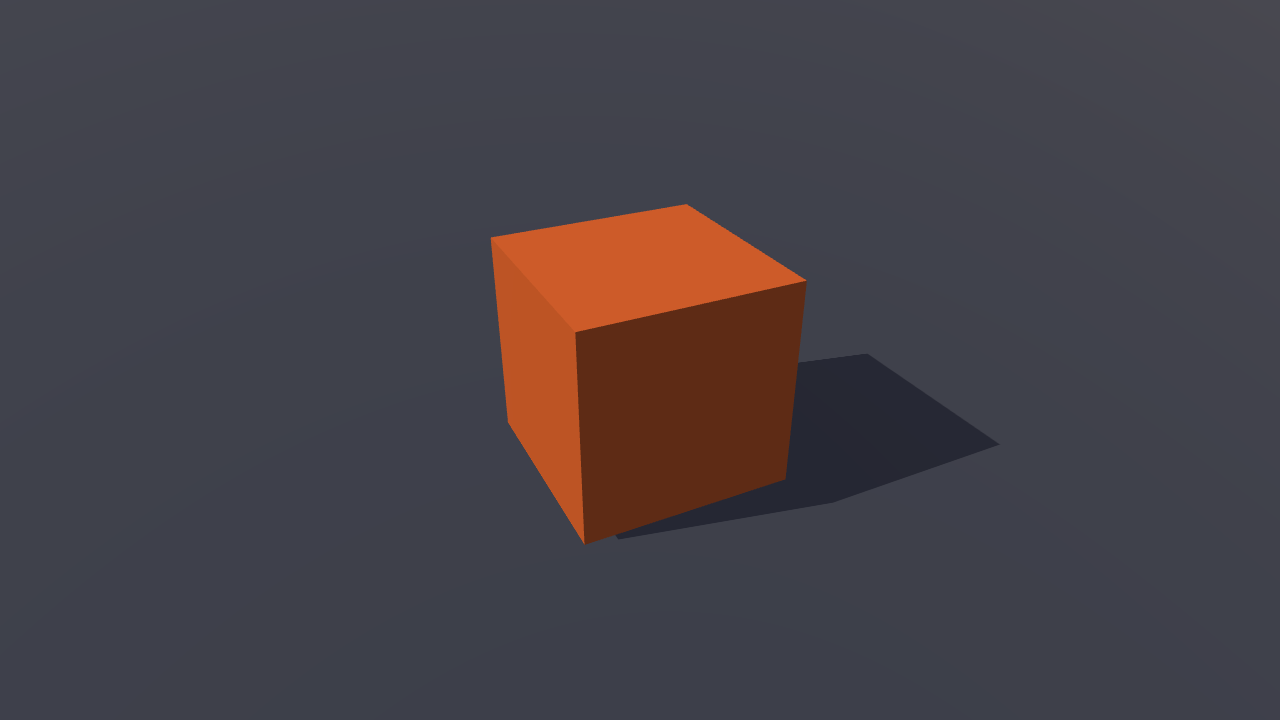
A small scene with a spinning cube, an orbit camera and lights. Change the cube’s speed and colour while it runs. The scene is created entirely in code, with no model or texture files to load.
Off airLivePaused
Hello cube
Basics · 3D
WebGPU: checking…See browser support
Try this
- Drag the spin slider and watch the cube change pace without a reload.
- Change the cube's colour: one material, edited live, with no shader rebuild.
- Press backtick or Devtools to open the overlay, then select the cube in the scene tree.
Show source code
Source
import { Camera, createMaterialAsset, f32, MeshAsset, MeshRenderer, pbrMaterialDefinition, Script } from "ignifx";import { bootExample } from "../_kit/boot.ts";import { bindColor, srgbFromHex } from "../_kit/color.ts";import { degreesPerSecond } from "../_kit/format.ts";import { fadeToHorizon } from "../_kit/horizon.ts";import { attachOrbit } from "../_kit/orbit.ts";import { bind, button, color, readout, slider, toggle } from "../_kit/panel.ts";import { createLightRig } from "../_kit/stage.ts";import type { ColorLike, ScriptCallbacks } from "ignifx";/** * The smallest complete ignifx app: a camera, a shadow-casting light rig, a ground plane that fades * into fog, and a spinning PBR cube. Every asset is built in code, so nothing is fetched and the * whole program is this one file. * * Read it top to bottom: a script class, then `bootExample`, then the world, then the panel that * drives it. That is the shape of every ignifx game — `templates/3d-third-person/src/main.ts` is * the same four steps with a thousand more lines between them. *//** Where the cube's centre sits, half its height above the ground. */const CUBE_HEIGHT = 0.65;/** The cube's edge length, in metres. */const CUBE_SIZE = 1.3;/** The angle the cube starts at, so a frozen capture shows three faces rather than one. */const START_ANGLE_DEGREES = 30;/** The cube's colour when the page loads and when Reset is pressed, in sRGB. */const START_COLOR: ColorLike = srgbFromHex("#ee6b29");/** The cube's spin when the page loads and when Reset is pressed, in degrees per second. */const START_SPEED = 45;/** The night sky behind the floor, in sRGB: the clear colour, which the floor fades into. */const NIGHT: ColorLike = { r: 0.043, g: 0.059, b: 0.094, a: 1 };/** Spins its entity about Y. `speed` is a serialized field, in degrees per second. */class Spinner extends Script.define({ speed: f32(START_SPEED) }) implements ScriptCallbacks { /** The namespaced registration id. */ static typeId = "hello-cube/Spinner"; /** Reused so the per-frame path allocates nothing (coding standards §7). */ readonly #step = { x: 0, y: 0, z: 0 }; /** * Advances the rotation. * * @param dt - Seconds since the previous frame, already scaled by `time.timeScale`. Under * `?static=1` the scale is zero, so the cube holds {@link START_ANGLE_DEGREES}. */ update(dt: number): void { this.#step.y = this.speed * dt; this.transform.rotate(this.#step); }}bootExample({ title: "Hello cube", settings: { rendering: { clearColor: NIGHT, msaaSamples: 4, // Shadows are a Babylon Lite opt-in, read once when `app.start()` registers the scene. // Asking for the feature afterwards throws `IGX-0704`, which is why it is a setting and not // a line in the panel's callback — the panel toggles the light's own `shadows.enabled`. features: { shadows: true }, }, time: { fixedDeltaTime: 1 / 60 }, }, setup({ app, panel }) { app.registerComponents([Spinner]); const eye = app.world.createEntity("Main Camera"); eye.addComponent(Camera, { near: 0.1, far: 200, fov: 46 }); attachOrbit(app, eye, { yaw: 34, // 30 degrees, not the 22 this started at: with a 46-degree vertical field of view the top of // the frame is 23 degrees above centre, so any pitch under that leaves the ground plane's // horizon — and a band of empty clear colour above it — in shot. Looking down past it fills // the frame with floor, which is what the cube needs to sit on. pitch: 30, distance: 5, target: { x: 0, y: CUBE_HEIGHT, z: 0 }, maxPitch: 85, minDistance: 2.2, maxDistance: 16, }); const rig = createLightRig(app, { focus: { x: 0, y: CUBE_HEIGHT, z: 0 }, keyPosition: { x: -2.6, y: 6.8, z: -3.2 }, fillIntensity: 0.6, }); // Fog in the clear colour, starting just past the farthest the orbit can pull back, so the floor // fades into the night instead of ending at a hard edge. const horizon = fadeToHorizon(app, { subjectRadius: CUBE_SIZE }); const slate = createMaterialAsset( app, pbrMaterialDefinition({ name: "slate", baseColor: { r: 0.22, g: 0.24, b: 0.29, a: 1 }, metallic: 0, roughness: 0.95, }), [], ); // Wide enough that its edge is inside the fog from anywhere the camera can stand. const size = horizon.groundSize; const groundMesh = MeshAsset.ground(app, { width: size, height: size, subdivisions: 1 }); app.world.createEntity("Ground").addComponent(MeshRenderer, { mesh: groundMesh, materials: [slate], castShadows: false, receiveShadows: true, }); const ember = createMaterialAsset( app, pbrMaterialDefinition({ name: "ember", baseColor: START_COLOR, metallic: 0.1, roughness: 0.35 }), [], ); const cubeMesh = MeshAsset.box(app, { size: CUBE_SIZE }); const cube = app.world.createEntity("Cube"); cube.transform.localPosition.set(0, CUBE_HEIGHT, 0); cube.transform.localEulerAngles = { x: 0, y: START_ANGLE_DEGREES, z: 0 }; cube.addComponent(MeshRenderer, { mesh: cubeMesh, materials: [ember], castShadows: true }); const spinner = cube.addComponent(Spinner); // A material takes its colour through a method, so the panel edits this field and hands it on. const look = { color: START_COLOR }; const paint = (colour: ColorLike): void => { ember.value.setBaseColor(colour); }; panel({ title: "Hello cube", groups: [ { label: "Cube", controls: [ // A serialized field is a plain property, which is all `bind` needs: read it for the // slider's value, assign it on every change, and the next `update` uses it. The slider // follows the field too, so Reset — or the devtools inspector — moves it. slider("Spin", { min: 0, max: 240, step: 5, format: degreesPerSecond }, bind(spinner, "speed")), // The swatch speaks `#rrggbb` and the material sRGB 0-1; `bindColor` converts. One // material, one live edit, and no shader rebuild — the family is the same. color("Colour", bindColor(look, "color", paint)), // The `shadows` *feature* stays on — it is what compiled the shadow pass. What a // graphics setting turns off is this light's own casting, which is a live flag. toggle("Shadows", bind(rig.key.shadows, "enabled")), button("Reset", (): void => { spinner.speed = START_SPEED; look.color = START_COLOR; paint(START_COLOR); rig.key.shadows.enabled = true; cube.transform.localEulerAngles = { x: 0, y: START_ANGLE_DEGREES, z: 0 }; }), ], }, { label: "Frame", collapsed: true, controls: [ readout("Draw calls", (): string => String(app.renderer.drawCalls)), readout("Scripts", (): string => String(app.diagnostics.frame.scriptsUpdated)), ], }, ], }); },});